
Coming soon to Android
Now on Google Play
The seek-and-find game for toddlers aged 1 to 3
“Where’s the duck?” A friendly voice asks, little eyes search, a little finger taps, and the duck hops into the basket. Every animal and thing says its name. No ads, no tracking, nothing to read.

Free download with the meadow and the bedroom. One purchase opens all 12 pictures.
- Ages 1–3
- No ads
- No tracking
- Works offline
- No subscription
Try it: find the duck
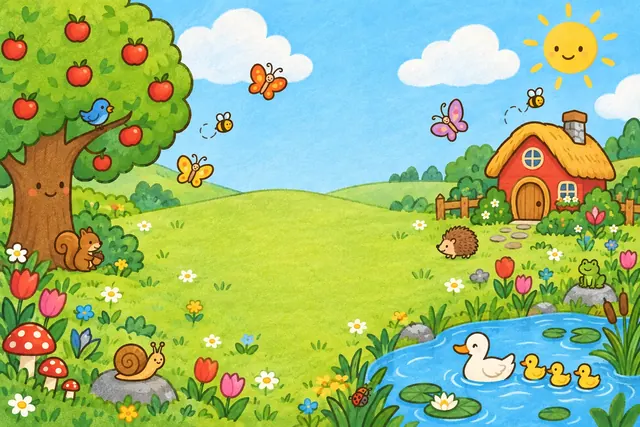
One round on the meadow, the app’s first picture, right here in your browser. Turn your sound on: everything you tap says its name.

Behind the cottage: the bedroom
And 10 more pictures in the app, each with a door into the next one.
On a phone, turn it sideways for a bigger picture. The game runs in your browser: nothing is stored or sent.
It asks, your child finds it
Made for 1, 2 and 3 year olds: one finger, nothing to read, nothing to get wrong.
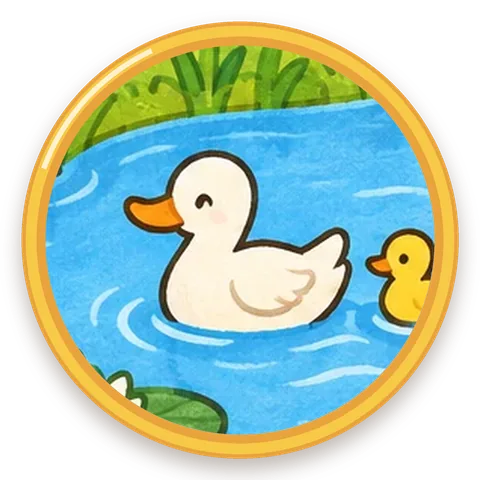
It asks
A gold lens in the corner shows the duck, and a friendly voice asks “Where’s the duck?”. Finding the same picture in the big one is just right at 1 and 2.
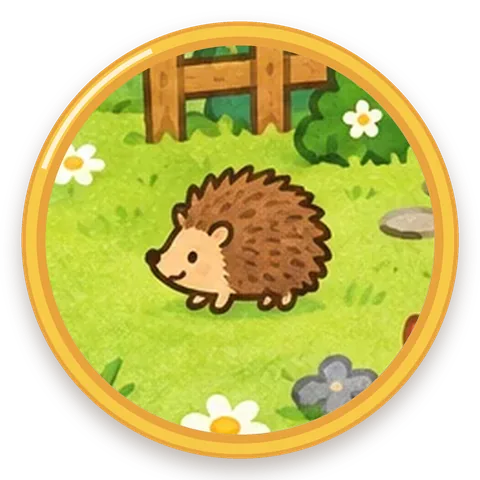
Tap to find
A tap on the duck: “Duck!”, a quack, “Yay!”, and it flies into the basket as a sticker. The basket shows what’s still to find.
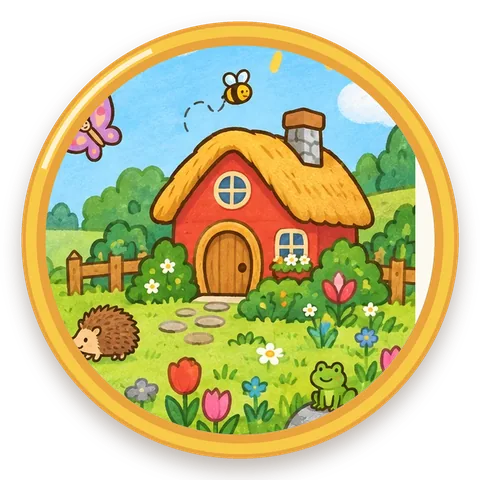
Three finds open the door
After three finds the picture’s door lights up: the cottage, the picture book, the dino egg. Through it is the next picture.
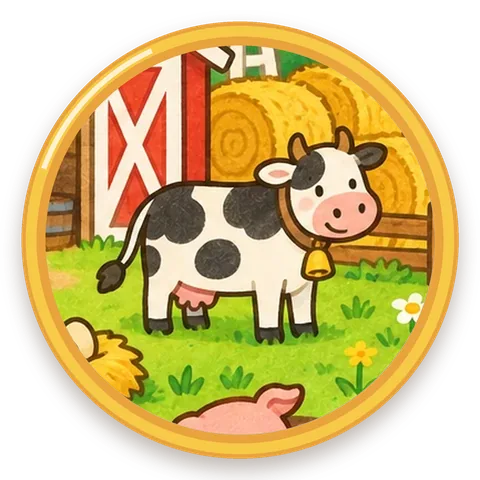
Every thing says its name
Tap anything at all. The cow says “Cow!” and moos, the sun says “Sun!”. First words come along while your child looks.


Made for small hands
- Just tap. No swiping, no dragging, no tricky gestures.
- Nothing is wrong. Tapping something else tells its name; tapping the grass makes sparkles.
- Nothing to read. The voice asks, the pictures answer.
- No timers, no scores. Your child looks for as long as they like.
- Grown-up things stay grown-up. The purchase sits behind a long press on a faint gear in the corner, then a parent’s check.
Help comes by itself
This is how one game works from a first birthday to a third. If the duck isn’t found, help comes in three gentle steps:
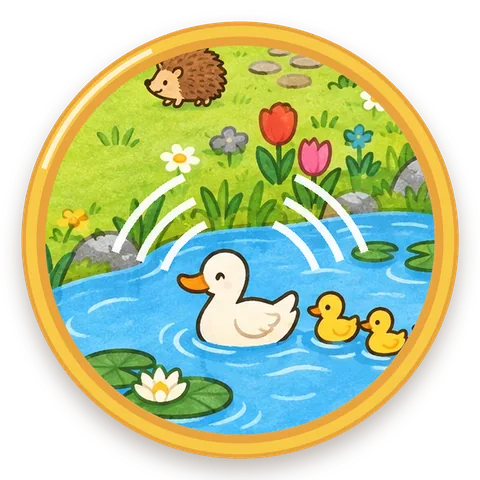
It calls
The duck quacks from its place and wiggles a little.
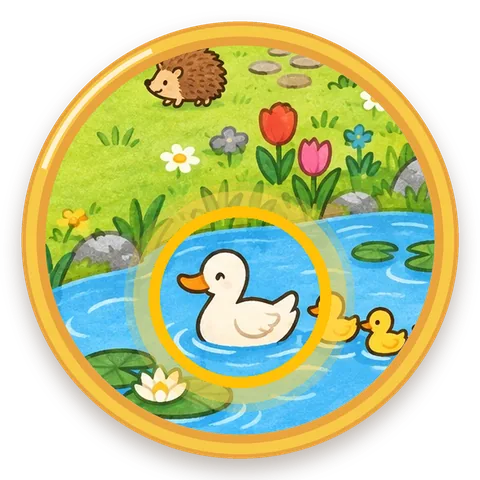
A ring shows where
A soft gold ring pulses around it.
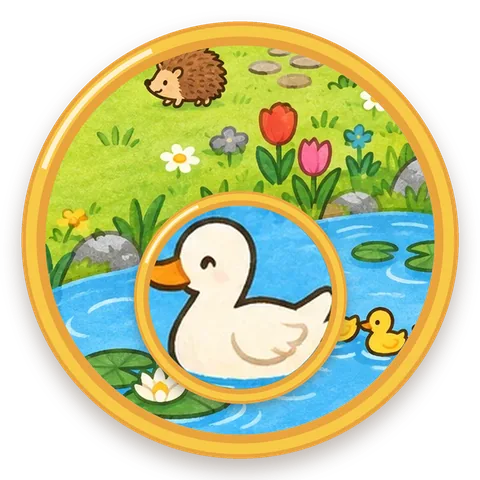
The magnifier opens
The magnifier opens right over it and says its name. One tap, and it’s found.


Help comes sooner for a child who needs it and later for one who doesn’t, and the small things only come up once the big ones are easy. There’s nothing to set: the app notices by itself, and forgets it when it closes.
12 pictures, each with a door into the next
From the meadow to the coral reef, from the farm to the kitchen. After the kitchen it’s the meadow again.
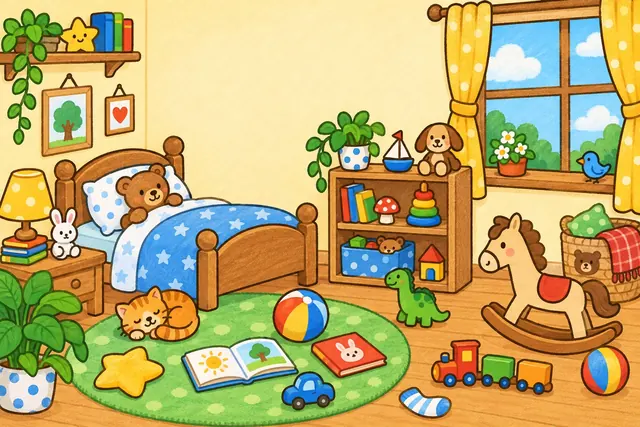
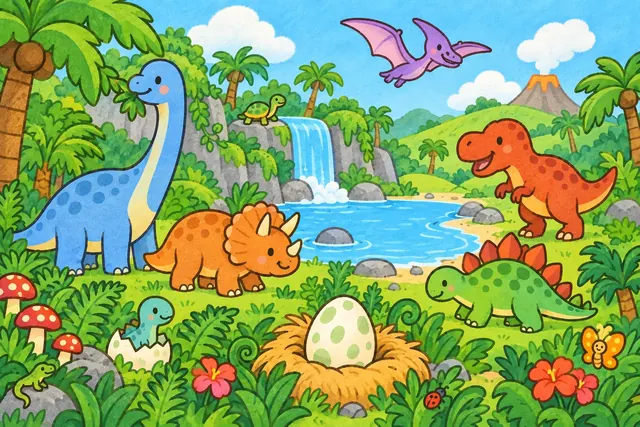
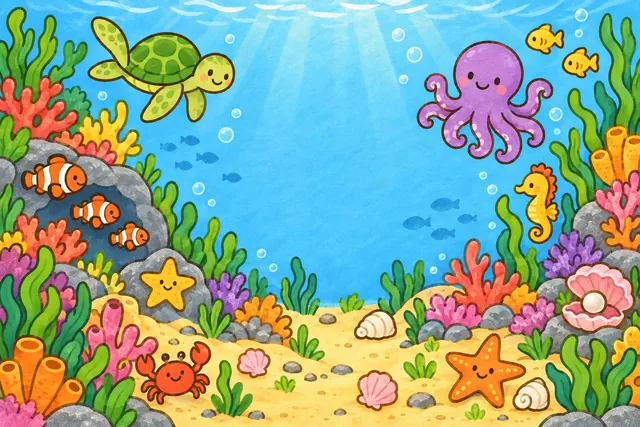
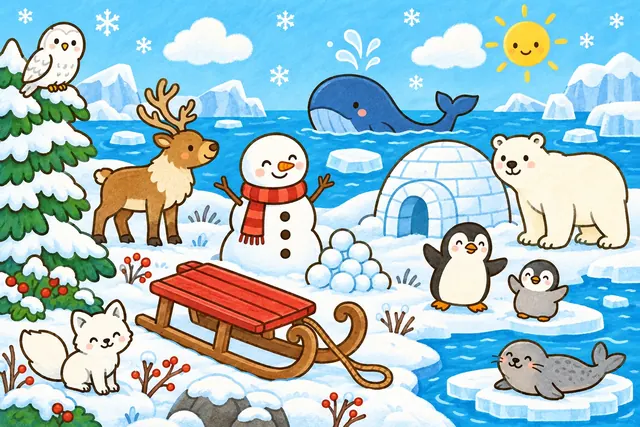
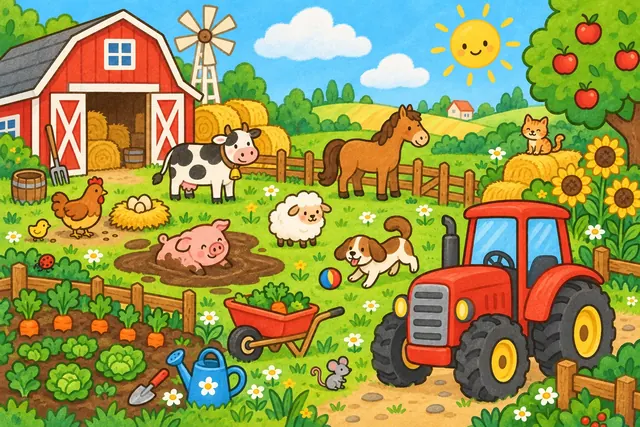
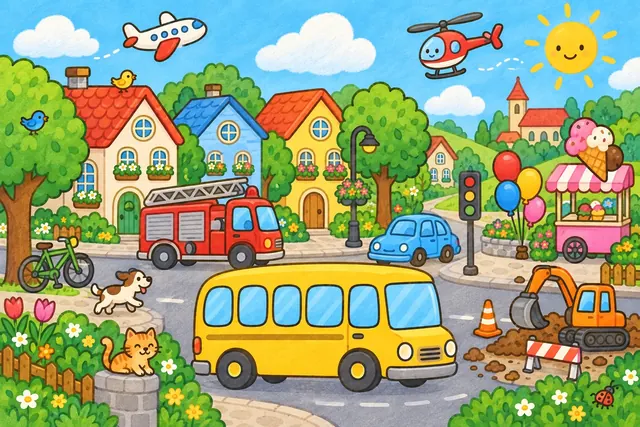
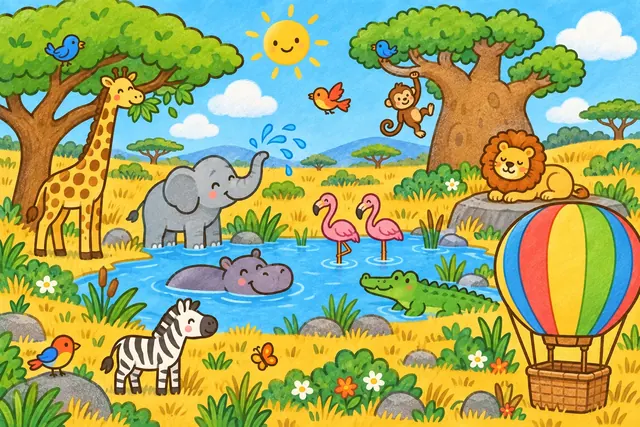
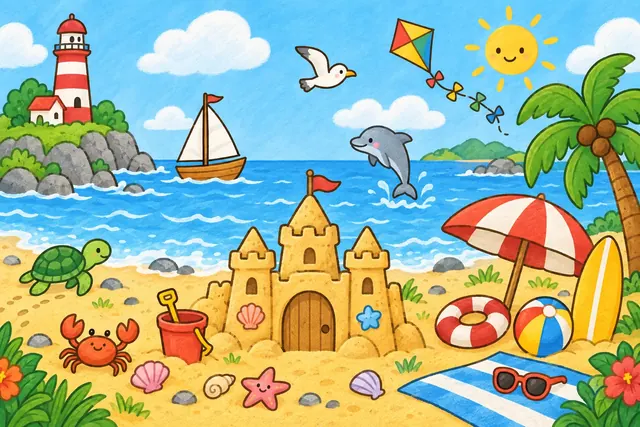
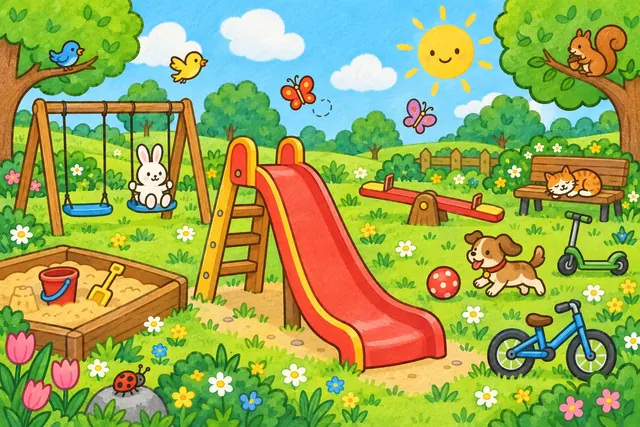
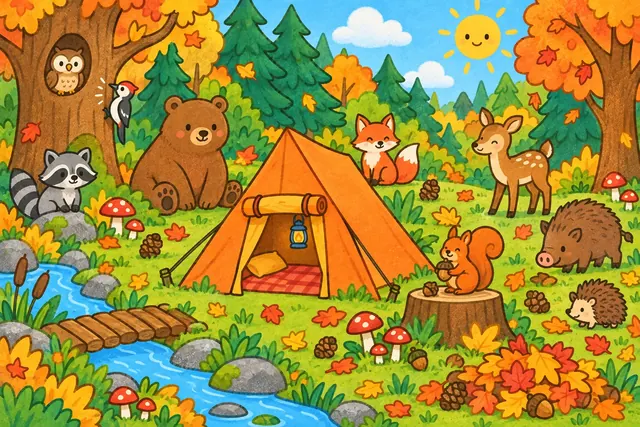
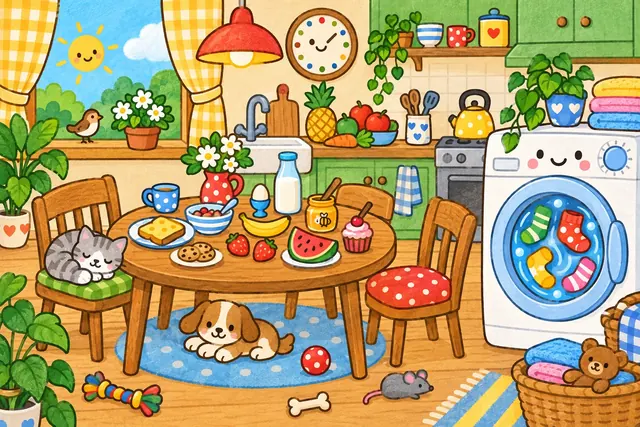


First words in 11 languages
Every one of the 162 animals and things says its name when it’s tapped, and the animals make their sounds: “Duck!” “Quack quack!”. Pointing and naming is how little ones read a picture book, and the app joins in.
The voice speaks English, German, French, Spanish, Italian, Dutch, Portuguese (Portugal and Brazil), Japanese, Korean and Swedish. It follows the language your phone or tablet is set to.
- Where's the duck?
- Wo ist die Ente?
- Où est le canard ?
- ¿Dónde está el pato?
- Dov'è la papera?
- Waar is de eend?
- Onde está o pato?
- Cadê o pato?
- あひるは どこかな?
- 오리는 어디 있을까?
- Var är ankan?
For grown-ups: no ads, no tracking, no subscription
- No ads
- No tracking or analytics
- No account
- No Wi-Fi needed
- No subscription
- No timers, scores or wrong answers
The app collects no data at all: no analytics, no ad networks, no crash reporters. It remembers only which picture your child was in. Read the privacy policy

Works offline, even on a plane
Everything is inside the app, so no Wi-Fi is needed. In the car, in the waiting room, or in airplane mode on a long flight.

Calm: good night after six pictures
No levels, timers or scores, and no background music. After six pictures in a row the sun gets sleepy, the voice says “Good night!”, and the door waits for the morning.

You stay in charge
The one purchase sits behind a parental gate: press and hold the faint gear in the top corner, then tap the numbers a grown-up can read. Tip: app pinning (Android) or Guided Access (iPhone, iPad) keeps your child inside the app.
The pictures and the voices in Lupaboo were made with AI and picked by hand.

Made for one very particular toddler
I’m Michael, a software developer in Upper Austria, and I also make Dressimals. I made Lupaboo for my daughter. In her first test she tapped the animals before anything else, and they didn’t answer. The same day, every animal and thing got its name and its sound. Her pointing became the game: the app asks, she finds it.
There are no ads and no tracking in Lupaboo because I wouldn’t want them in front of my own child.
Michael, Upper Austria
Free to start. One purchase. No subscription.
Free
The meadow and the bedroom
Two whole pictures, with every animal and thing, and the door between them. Free forever, not a trial.
One purchase, once
Everything
All 12 pictures, and every picture added later.
Pay once: no subscription, no ads, no coins or gems. Only a grown-up can buy, behind the parental gate.
During the test, testers play all 12 pictures.
Try Lupaboo before launch
Before Lupaboo goes live, it runs a closed test on Google Play: at least 12 families, 14 days in a row. I’m looking for families to help.
- Send me a short email with the Google account you use on Google Play.
- I send you a link. Install the test version from Google Play like any other app.
- Keep it installed for at least 14 days. Your child plays whenever it suits you.
- Tell me what you notice, in a line or two. Optional, but it helps a lot.
Do you speak French, Spanish, Italian, Dutch, Portuguese, Japanese, Korean or Swedish at home? Then I’d especially love your help: listen to the names in your language and tell me what sounds wrong.
What you get: all 12 pictures during the test, and a say in what comes next.
Email me to join the testThis opens your email app. You can also write to mibierbaumer@gmail.com with the subject “Lupaboo test”. I use your address only for the test and one email at launch, then I delete it (privacy).
On an iPhone or iPad? Get one email at launch.
Get Lupaboo
Free to download. The meadow and the bedroom stay free forever; one purchase opens all 12 pictures.
iPhone and iPad come later. Get one email when it’s there.
Questions parents ask
What age is Lupaboo for?
Ages 1 to 3, made first for the youngest: tap only, nothing to read, no tricky gestures, no wrong answers. Older siblings like to play along.
Can a 1-year-old play it?
Yes, that’s who it’s made for. The very first question is guided: help comes after half a second, so a toddler learns “the lens asks, find it, tap it” within a few seconds. Everything works with a tap, and nothing can go wrong. A child who has never used a tablet may need you to show them once.
Is it too easy for a 4-year-old?
It might be. For a child who finds things quickly, help waits longer and the smaller things come up. But if your child wants puzzles and challenges, this isn’t that kind of game. The two free pictures will show you quickly.
Is Lupaboo free? Is there a subscription?
The download is free, and the meadow and the bedroom stay free forever. A single one-time purchase opens all 12 pictures, including every picture added later. There is no subscription and there are no ads.
Are there in-app purchases? Can my child buy something by accident?
There is exactly one: the unlock for all pictures. It sits behind a parental gate (a long press on a faint gear, then numbers to tap in an order spelled out in words), so a toddler can’t buy anything by accident. There are no coins, gems or purchase pop-ups.
What data does the app collect?
None. No tracking, no analytics, no advertising, no accounts. The app remembers only which picture your child was in, on the device. Purchases are handled entirely by Apple or Google. Details in the privacy policy.
Isn’t this just more screen time?
It is screen time. What Lupaboo can do is keep it calm: no videos, no ads, no levels, timers or rewards, nothing that asks for “just one more”. After six pictures it says good night. It suits short, quiet moments, or looking together while you name the animals, like with a picture book.
Does it work offline, without Wi-Fi or in airplane mode?
Yes, fully. Everything is inside the app, so no account and no internet connection are needed after installation. It works in airplane mode, in the car and in the waiting room.
Which languages does Lupaboo speak?
Eleven: English, German, French, Spanish, Italian, Dutch, European Portuguese, Brazilian Portuguese, Japanese, Korean and Swedish. The voice follows your device’s language, so a bilingual family can switch the language there.
Who made the pictures and the voices?
They were made with AI and picked by hand, one by one. The voices were recorded in advance and are part of the app: nothing is generated while your child plays, and nothing is sent anywhere.
When can I get it?
Android first, on phones and tablets, once the closed test on Google Play is done. iPhone and iPad follow later. If you have an Android device, you can sign up to test it before launch.
Which devices does it run on?
Android phones and tablets. iPhone and iPad follow later.
Who makes Lupaboo?
Michael, a parent and software developer in Upper Austria, with his company MIB Digital Solutions GmbH, which also makes Dressimals and Magic Paint Book. Questions and ideas are welcome at mibierbaumer@gmail.com.
From the same family

Want your toddler to try it first?
I’m looking for families to test Lupaboo on Android before launch. Testers play all 12 pictures.
Try the meadow for free
See if your toddler likes it first. One purchase opens all 12 pictures if they do.